Agents · Automation · Integration
AI and automation
I build AI agents that answer calls and customers, automations that move work between your tools, and AI features inside the software your team already uses.
See it work
One request, start to finish
The customer only sees the chat. On the right is everything the agent does to get them an answer in under a minute.
Example · an AI agent moving a bookingWhatsApp
Behind the scenes
Three ways I put AI to work
- 01 · AI agents
Agents that pick up the conversation
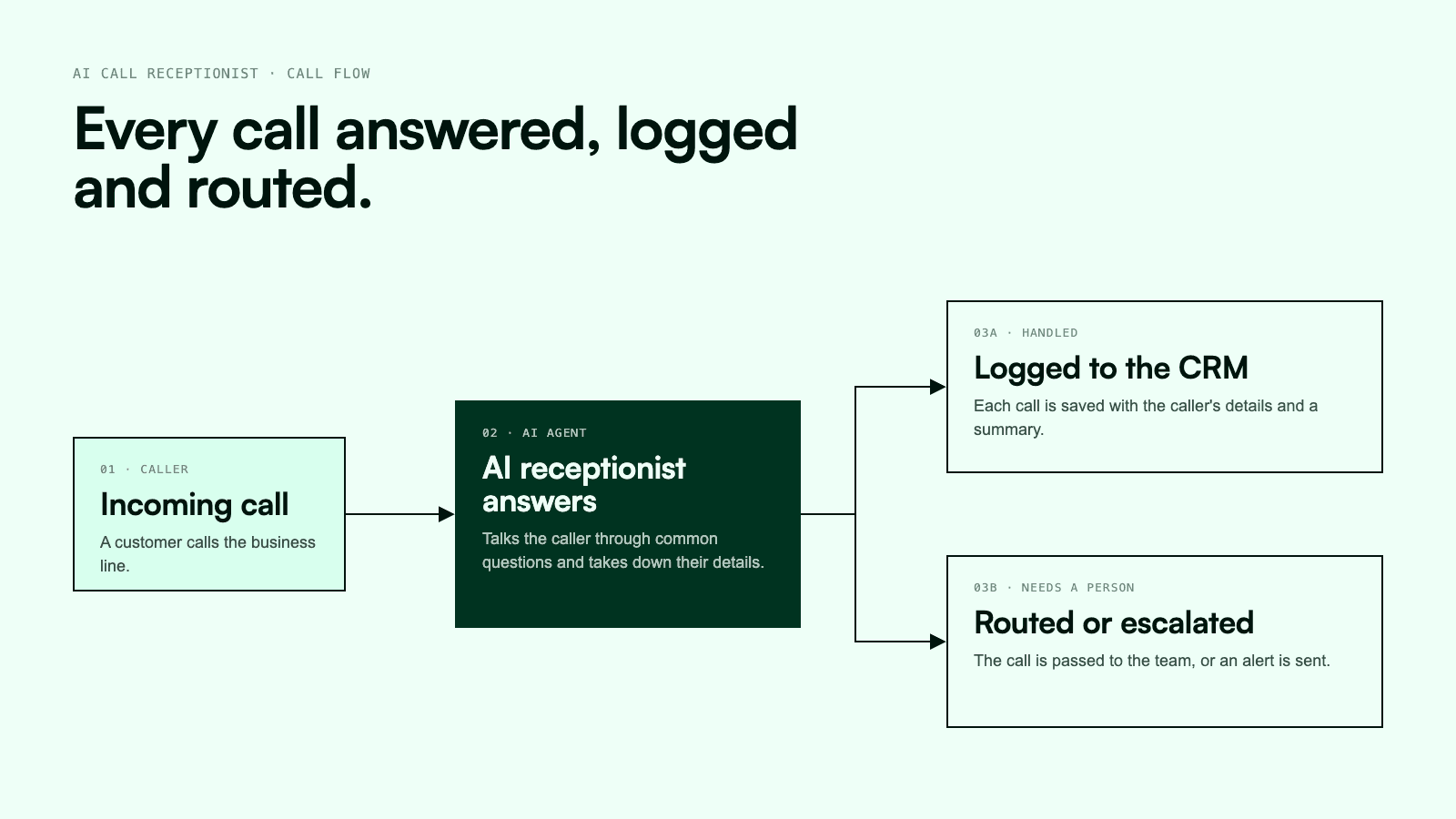
An agent answers the call, chat or WhatsApp message, works out what the person needs, and either handles it or hands it to your team with the details already written down.
See the AI Call Receptionist - 02 · Automation
Busywork that runs on rules
An invoice goes out, a reminder follows if it isn't paid, the payment gets recorded and the report updates itself. Nobody copies anything between tabs.
- 03 · AI in your software
AI inside the tools you already run
In PlexiaDesk, agents answer pipeline questions, update deals and tasks, and draft follow-ups without anyone leaving the CRM. I add the same kind of features to other business apps.
See PlexiaDesk
What happens when a message comes in
The same five steps whether it's a phone call at midnight or a WhatsApp message on a busy Monday.
- Step 01
A message comes in
A phone call, a WhatsApp message, an email or a form on your site.
- Step 02
The agent reads it
It works out who is asking and what they actually want.
- Step 03
It checks your data
Orders, bookings, invoices, the CRM: whatever it needs to give a real answer.
- Step 04
It acts
Answers the question, books the slot, updates the record or sends the reminder.
- Step 05
Your team stays in the loop
Everything is logged, and anything unusual is handed to a person with the context attached.
Things worth automating
- 01
Calls & enquiries
First response in seconds at any hour, with the details logged.
- 02
Lead follow-up
New leads get a reply and a reminder sequence, so none go cold.
- 03
Invoices & payments
Invoices sent, reminders chased and payments recorded.
- 04
Bookings
Customers pick a slot; calendars and confirmations update themselves.
- 05
Reports
The weekly numbers pulled together and sent, without a spreadsheet.
- 06
Documents
Details pulled from forms, receipts and PDFs straight into your system.
Built and running
- AI & Automation
- AI & Automation

Plexia desk
2026 - AI & Automation

Arrayhan Properties
2026
Got a task that eats your week?
Tell me about itBook a call